Process Management
Process Management gives operators a live task-manager style view for one device. Use it to inspect resource use, copy process details, and send End Task when a process needs to stop.
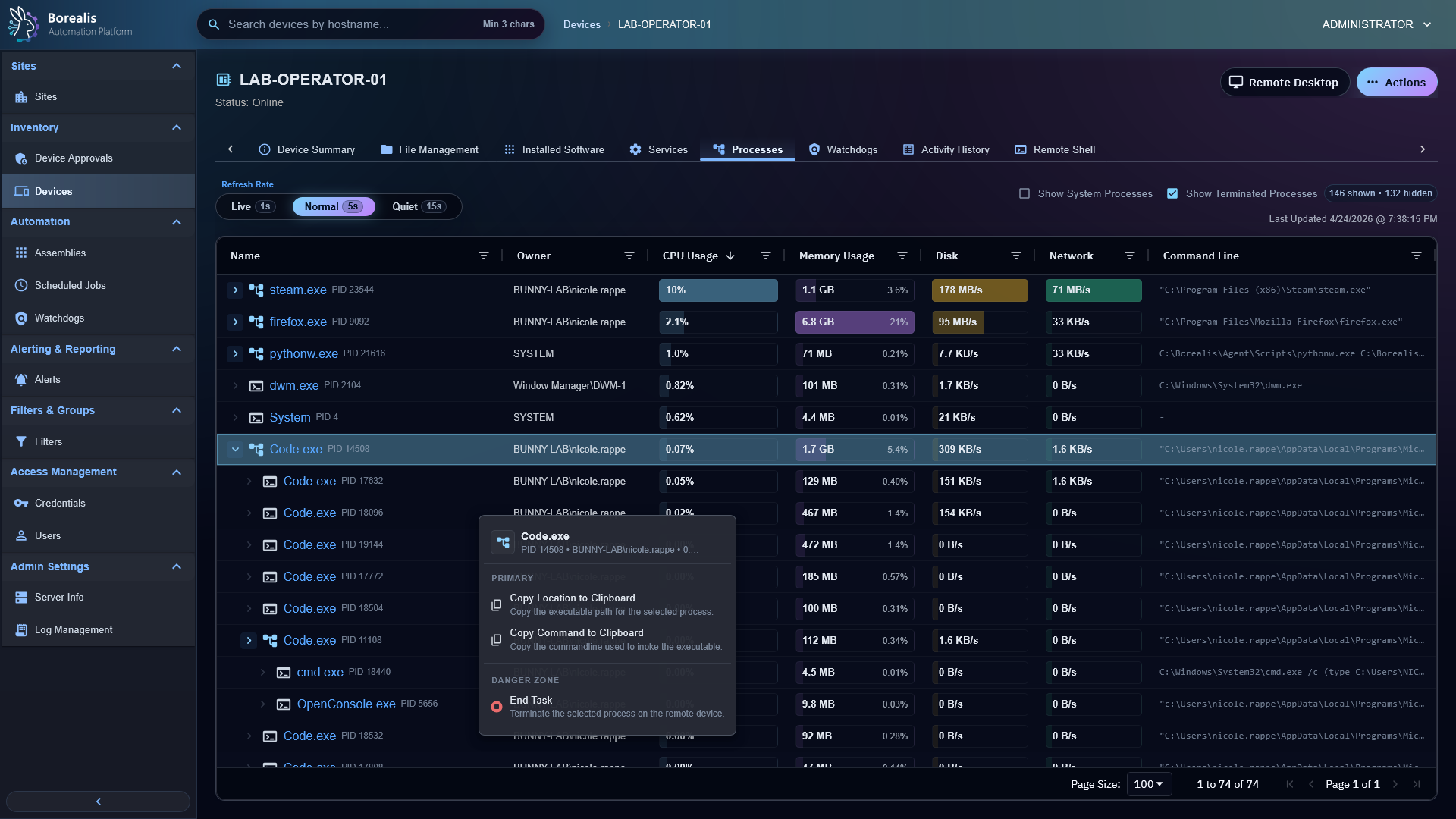
Inspect Processes
- Open a device.
- Open
Processes. - Choose refresh rate:
Live,Normal, orQuiet. - Toggle
Show System Processeswhen low-level OS rows matter. - Toggle
Show Terminated Processesto keep recent exits visible.
Columns show name, owner, CPU, memory, disk, network, and command line.
When a device is still building its first live snapshot, the table shows Collecting Active Process Data... and retries quickly before treating an empty response as final.
End Task
- Right-click a process row.
- Choose
End Task. - Confirm the process disappears or moves into terminated visibility after refresh.
Copy Details
Right-click row actions can copy executable location or command line. Use this before shell work so commands target the right path.
Warning
End Task can stop user work, services, or critical application components. Confirm owner, command line, and parent/child grouping before acting.
Detailed Codex Breakdown
API endpoints
GET /api/device/processes/<hostname>?max_age_seconds=<seconds>- live process snapshot.POST /api/device/processes/<hostname>/terminate- request process termination.
Related documentation
Source map
- Process API:
Data/Engine/Containers/api-backend/cmd/api-backend/device_processes.go - Process tab UI:
Data/Engine/Containers/webui-frontend/data/web-interface/src/Devices/Tabs/Process_Management.jsx - Agent process role:
Data/Agent/internal/roles/process_management/
Runtime behavior
- Live snapshots use the device SYSTEM Socket.IO channel through
process_management_request. - Agent process management warms a snapshot after authentication so the first UI request usually reads a hot cache.
- Empty live snapshots return
collection_state: collectingandretry_after_msso the WebUI can keep a loading state and retry before showing an empty table. - UI polling requests fresher agent snapshots when refresh rate needs it.
- Cached process inventory still exists for watchdog rules and is separate from live process-management snapshots.