Service Management
Service Management shows cached service inventory for one device and lets operators send start, stop, or restart actions.
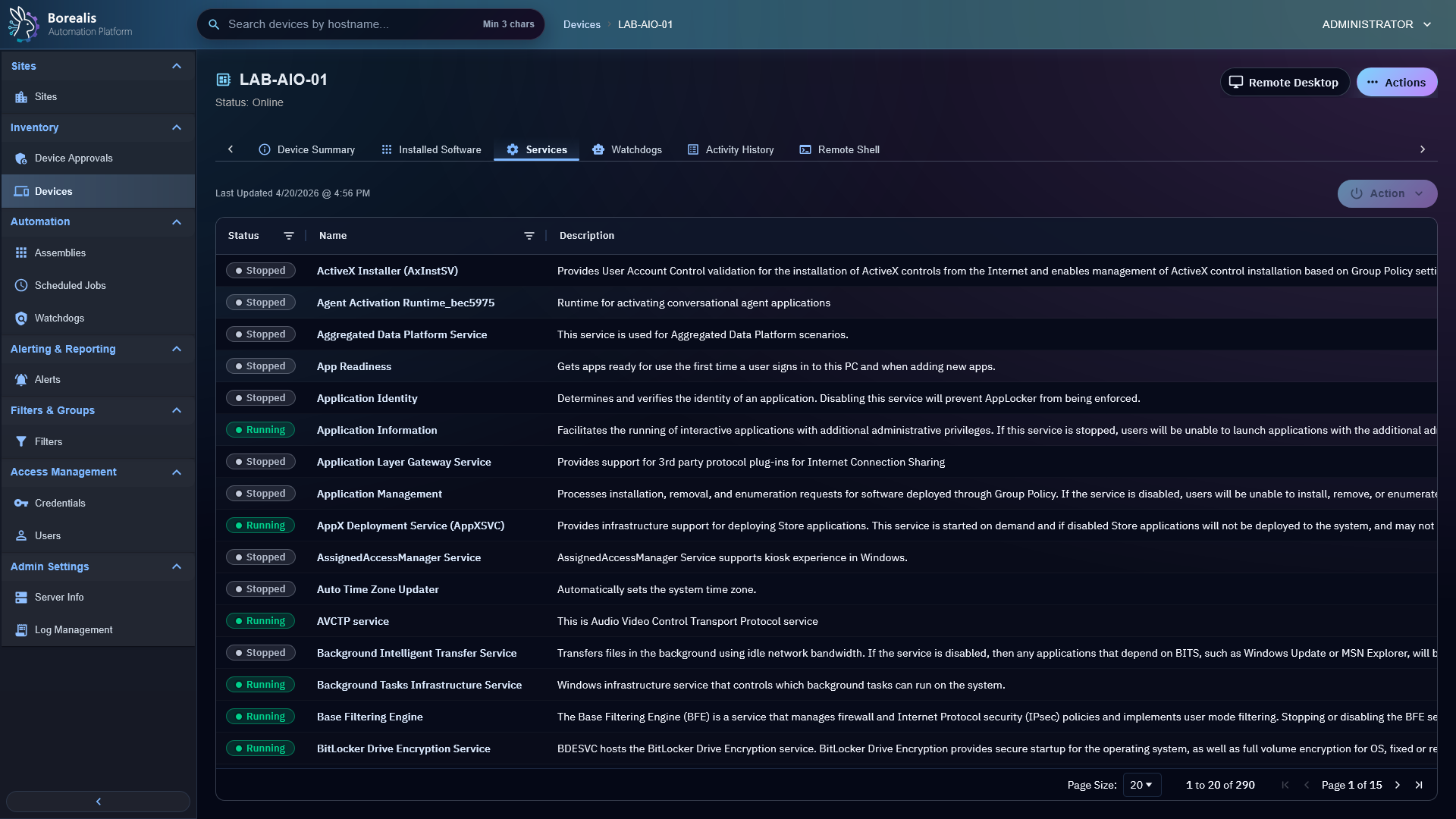
Inspect Services
- Open a device.
- Open
Services. - Search or filter by service status, name, or description.
- Review pending action badges when a service change was recently requested.
Control Service
- Select target service.
- Choose
Start,Stop, orRestart. - Wait for refresh to confirm state.
Pending state is shown until fresh agent service inventory confirms the result.
Good Use Cases
- Restart stuck vendor services.
- Stop noisy services before remediation.
- Confirm service state before running watchdog or script remediation.
- Validate automatic service-control watchdog actions.
Detailed Codex Breakdown
API endpoints
GET /api/device/services/<hostname>- cached service inventory.POST /api/device/services/<hostname>/action- start, stop, or restart one service.
Related documentation
Source map
- Service API:
Data/Engine/Containers/api-backend/cmd/api-backend/device_services.go - Service tab UI:
Data/Engine/Containers/webui-frontend/data/web-interface/src/Devices/Tabs/Service_List.jsx - Agent service role:
Data/Agent/internal/roles/service_management/
Runtime behavior
- Service inventory is stored in the
devices.servicesJSON payload. - Operator actions are merged into UI state as pending until a fresh agent inventory snapshot confirms final service state.
- Service-control dispatch retries transient SYSTEM socket gaps for a short grace window, then returns
agent_unavailablewith HTTP503if the Agent socket remains unavailable. - Watchdogs can use service state and service pending timeout rules.