Site Assignments
Site Assignments control which sites non-admin operators can see and manage. Use this page after creating users or after directory group mappings change access.
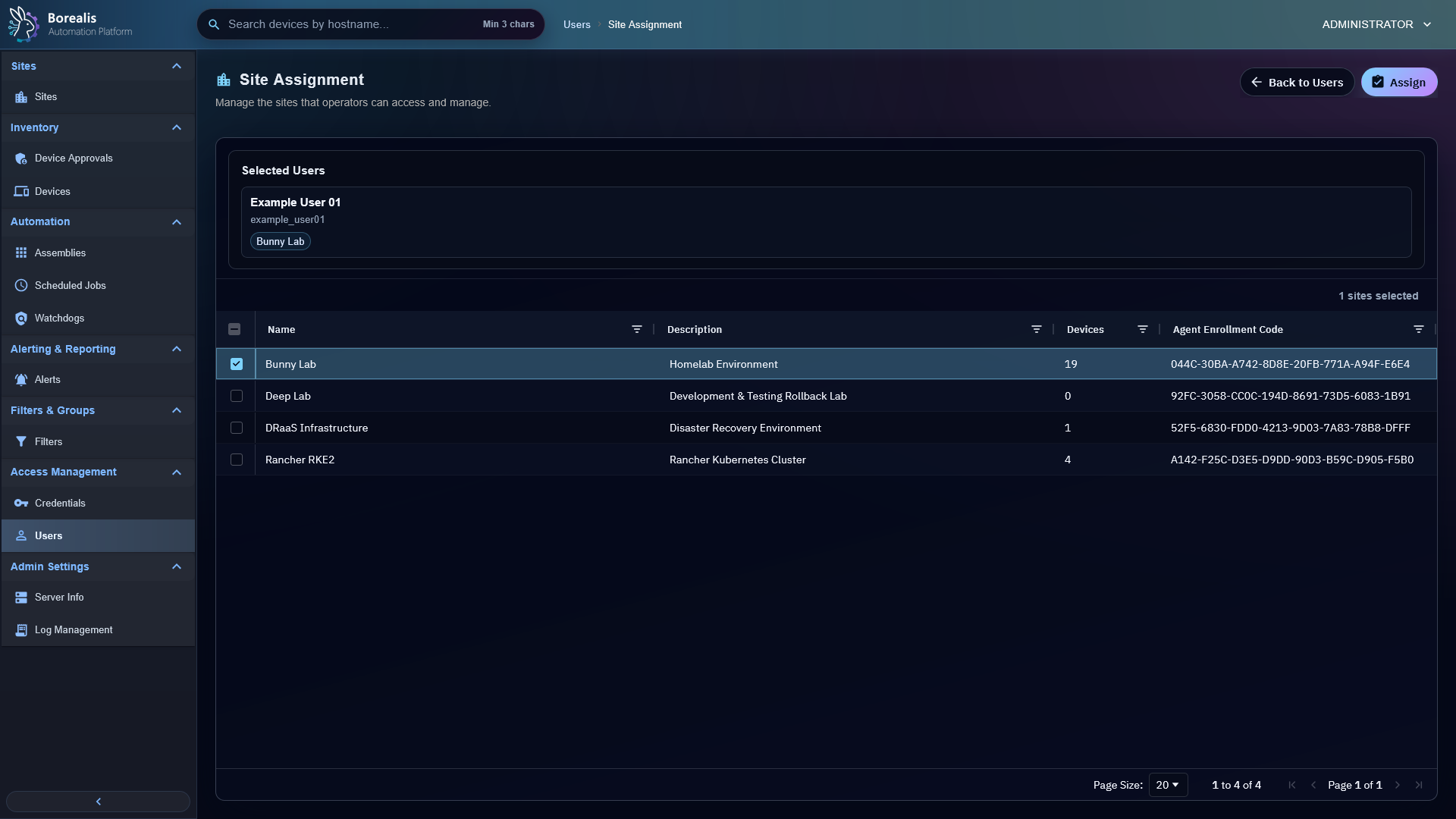
Assign Sites To Operators
- Open
Access Management > Users. - Select one or more non-admin operators.
- Open site assignment.
- Check sites those operators should access.
- Save assignment.
Admins inherit all sites and do not need assignment rows.
What Site Assignment Controls
- Device list visibility.
- Device approvals.
- Device details and remote actions.
- Filters, watchdogs, and scheduled jobs.
- Header device search.
- Site-scoped onboarding and automation.
Directory-Backed Users
Directory Services can map directory groups to site sets. Those mappings replace manual site assignment for cached non-admin directory users when they sign in or sync.
Warning
Operator with no assigned sites sees no devices. If user reports empty inventory, check role first, then site assignment.
Detailed Codex Breakdown
API endpoints
POST /api/user_site_assignments/selection- load current assignments for selected operators.POST /api/user_site_assignments/assign- replace selected operators' assignments.POST /api/directory/providers/<provider_id>/sync- refresh cached directory users and assignments.
Related documentation
Source map
- User API:
Data/Engine/Containers/api-backend/cmd/api-backend/users.go - User site access manager:
Data/Engine/Containers/api-backend/cmd/api-backend/user_site_assignments.go - Site assignment UI:
Data/Engine/Containers/webui-frontend/data/web-interface/src/Sites/Site_Assignment.jsx
Runtime behavior
user_site_assignmentsstores explicit site access rows.- Admin role bypasses site rows and sees all sites.
- Directory provider site mappings can rewrite assignment rows for directory users based on group membership.