Remote Shell
Remote Shell opens an interactive PowerShell or shell session over the managed WireGuard tunnel. Use it for focused diagnostics, command-line repairs, and quick inspection when full automation is unnecessary.
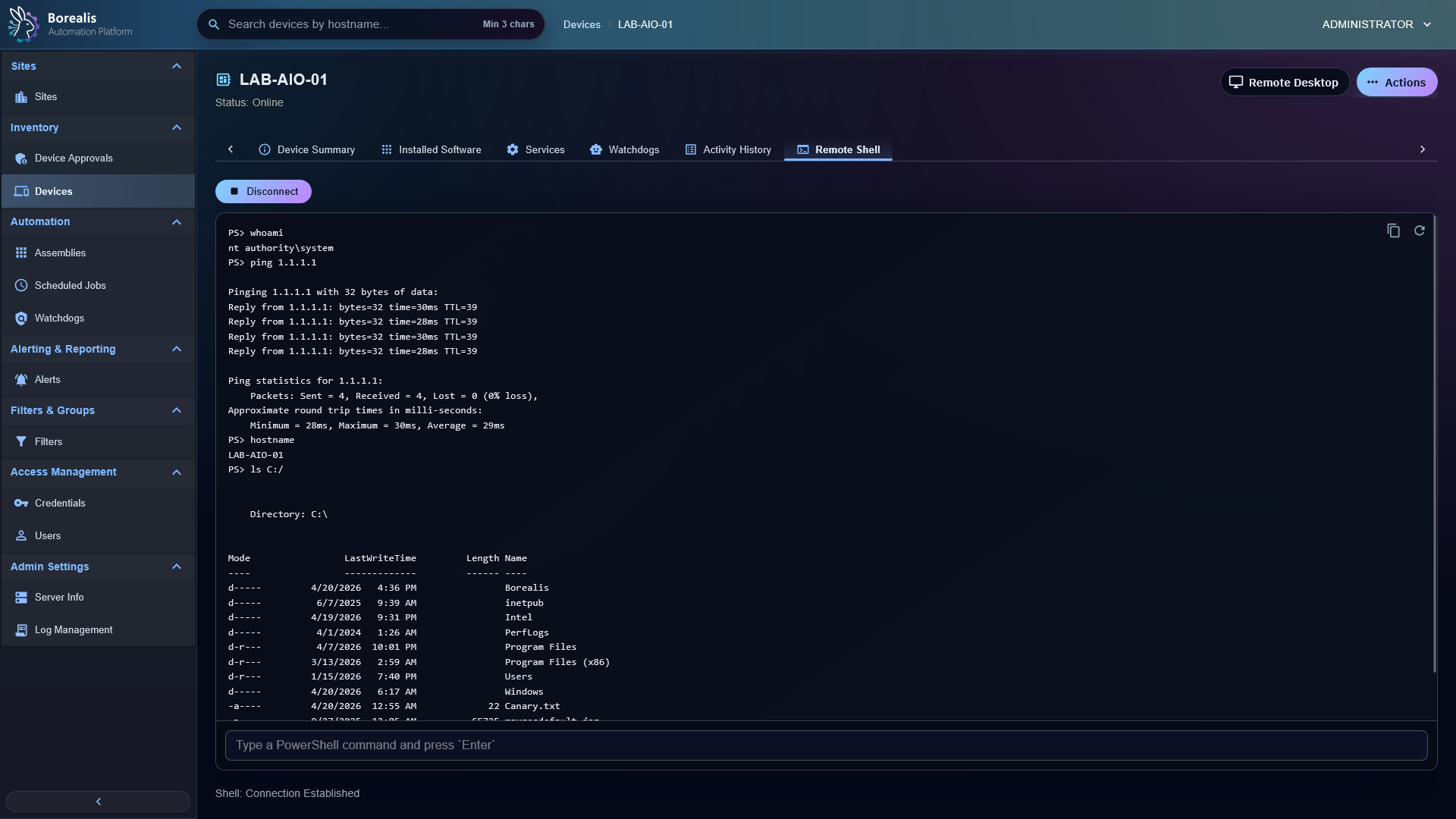
Open Shell
- Open a device.
- Open
Remote Shell. - Select
Open Shell. - Wait for the tunnel and shell readiness check.
- Run commands in the terminal area.
Use Disconnect when finished.
Read Status
Connection Establishedmeans browser, Engine bridge, WireGuard path, and agent shell listener are connected.Agent Onboarding Underwaymeans the SYSTEM agent socket is not ready yet. Wait for onboarding to finish, then retry.- Quiet shell sessions stay connected through keepalive pings even when no visible output is flowing.
When To Use Other Tools
- Use File Management for browse, upload, download, and edits.
- Use Process Management for process inspection and End Task.
- Use Service Management for service start, stop, and restart.
- Use Scheduled Jobs or Scripts when the same command should run on more than one device.
Detailed Codex Breakdown
API endpoints
POST /api/shell/establish- prepare shell session for an in-scope device.POST /api/shell/disconnect- disconnect shell session.POST /api/tunnel/connect- ensure tunnel material for in-scope agent.GET /api/tunnel/status- tunnel status by agent.GET /api/tunnel/active- active tunnel list.POST /api/agent/vpn/ensure- persistent agent tunnel bootstrap.POST /api/agent/vpn/ready- active tunnel readiness for dispatch.
Related documentation
Source map
- Remote Shell UI:
Data/Engine/Containers/webui-frontend/data/web-interface/src/Devices/Tabs/Remote_Shell.jsx - Shell API:
Data/Engine/Containers/api-backend/cmd/api-backend/remote_shell.go - Shell bridge/runtime:
Data/Engine/Containers/site-worker/data/services/job_scheduler/worker_socket.pyandData/Engine/Containers/site-worker/data/services/WebSocket/vpn_shell.py - Tunnel service:
Data/Engine/Containers/api-backend/cmd/api-backend/vpn_tunnel.go - Agent shell role:
Data/Agent/internal/roles/remote_shell/ - Agent WireGuard role:
Data/Agent/internal/roles/wireguard_tunnel/
Runtime behavior
- WireGuard tunnel is persistent and shared across operators.
- Remote shell uses agent TCP shell listener on port
47002by default. - Engine and Agent log a shared shell
session_idfor cross-runtime correlation. - One active shell per browser/session owner is kept; superseded sessions close explicitly.