Software Management
Software Management helps operators audit installed applications, refresh software inventory, run supported uninstall actions, and govern global software metadata fixes.
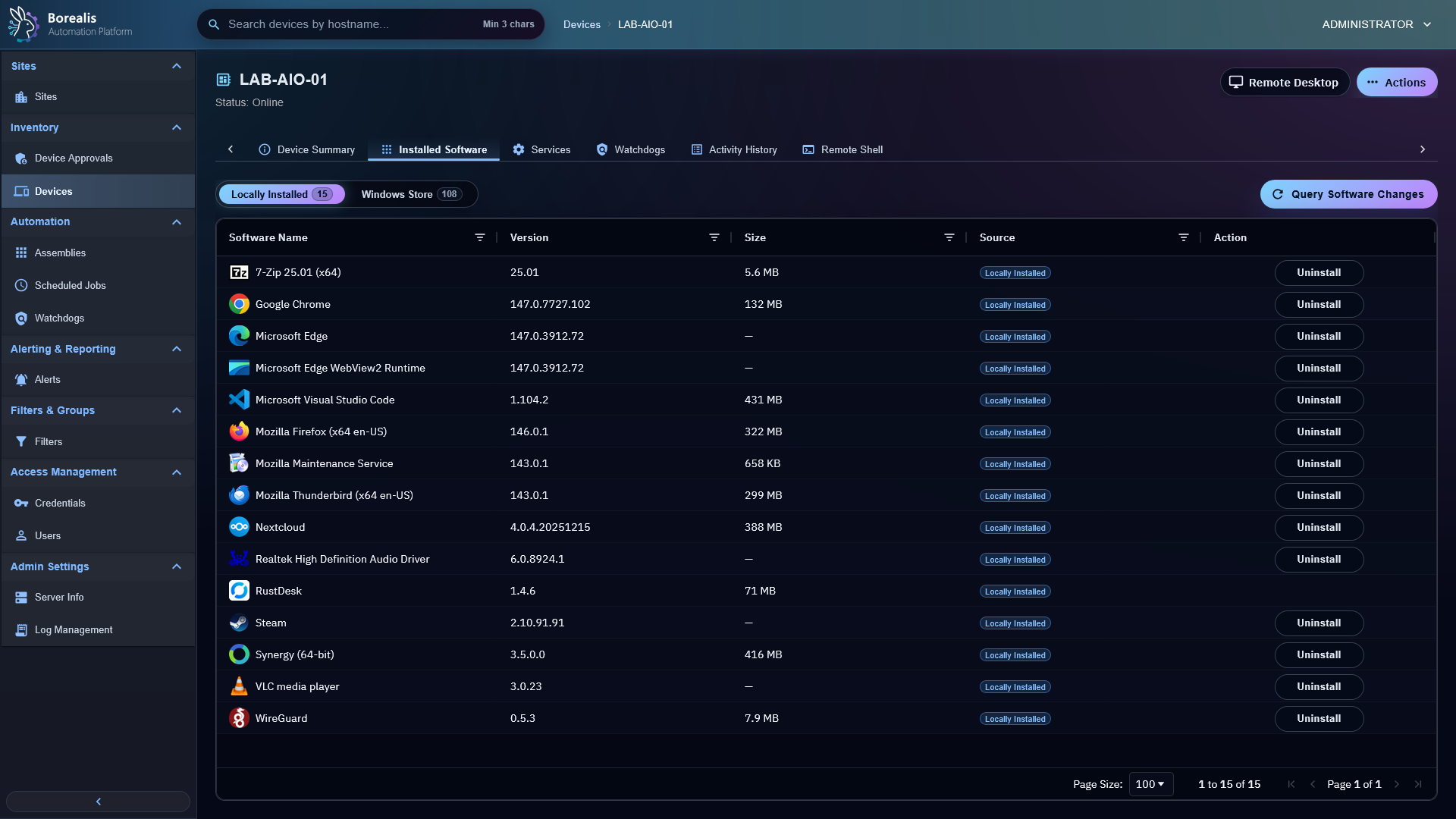
Audit Software
- Open
Alerting & Reporting > Software Auditfor fleet-level software review. - Open a device and select
Installed Softwarefor device-level software inventory. - Use filters and sorting to find package name, version, source, publisher, or installation metadata.
- Device-level
Installed SoftwareshowsInstall Datewhen endpoint inventory includes that metadata. Some dates are exact, and some are estimated from endpoint timestamps when installer metadata is missing.
Refresh Inventory
Use Query Software Changes when you need a fresh software snapshot after install, uninstall, override, or remediation work.
Uninstall Software
- Open a device.
- Open
Installed Software. - Right-click supported software row.
- Select
Uninstall. - Track output in Activity History and refresh software inventory after completion.
Borealis only exposes uninstall when it can build a supported unattended uninstall plan.
Manage Global Overrides
Right-click software rows to create:
- Global icon overrides.
- Global uninstall overrides.
- Global uninstall blocks.
- Uninstall unblock rules.
These hotload immediately in the Engine. Commit file-backed rules later when they should ship with Borealis.
Detailed Codex Breakdown
API endpoints
POST /api/device/software/<hostname>/refresh- request fresh software inventory.POST /api/device/software/<hostname>/icon-override- save hotloaded icon override.POST /api/device/software/<hostname>/uninstall-override- save hotloaded uninstall override.POST /api/device/software/<hostname>/uninstall-block- save hotloaded block rule.POST /api/device/software/<hostname>/uninstall-unblock- remove matching block rules.POST /api/device/software/<hostname>/uninstall- queue supported uninstall quick job.GET /api/agent/software-management/overrides- agent override payload fetch.
Related documentation
- Software Icon Overrides
- Software Uninstall Overrides
- Software Uninstall Blocklist
- Device Filters
- API Reference
Source map
- Installed Software UI:
Data/Engine/Containers/webui-frontend/data/web-interface/src/Devices/Tabs/Installed_Software.jsx - Software APIs:
Data/Engine/Containers/api-backend/cmd/api-backend/software.go,software_audit.go, andsoftware_uninstall_dispatch.go - Override loaders:
Data/Engine/Containers/api-backend/cmd/api-backend/software_overrides.goandagent_reads.go - Agent software role:
Data/Agent/internal/roles/software_management/
Runtime behavior
- Agent publishes raw software blobs for device detail display.
- Windows Agent software inventory stores install dates as
metadata.install_datewithmetadata.install_date_sourceandmetadata.install_date_confidence. - Windows install-date collection prefers exact installer metadata, then falls back to MSI product info, uninstall registry key LastWriteTime, install folder creation time, display icon file creation time, quiet uninstall command file creation time, and uninstall command file creation time.
- The device-level Installed Software UI formats
metadata.install_dateinto theInstall Datecolumn and exposes source/confidence in a tooltip. - Engine normalizes rows into
device_software_inventoryfor reliable filtering. - Uninstall actions run through signed quick-job execution and write Activity History.
- Override and blocklist JSON paths are runtime configuration selected by
BOREALIS_SOFTWARE_ICON_OVERRIDES_PATH,BOREALIS_SOFTWARE_UNINSTALL_OVERRIDES_PATH, andBOREALIS_SOFTWARE_UNINSTALL_BLOCKLIST_PATH; they are not API source files.